Make Your Device Like a Cloud Device
Access Your Device From Space ✨
Supported and Backed by

Project Goals
The goal of the project is to create remote files and a remote command console that can access your partner device from anywhere multi-platform even via mobile device with KumoFiles web client, with more flexibility, simplicity, and security, and that can work like your own private server.
In the future, we will create more innovative features to enhance what could be the simple, secure, most powerful, and well-tested interface for any activity.
Features
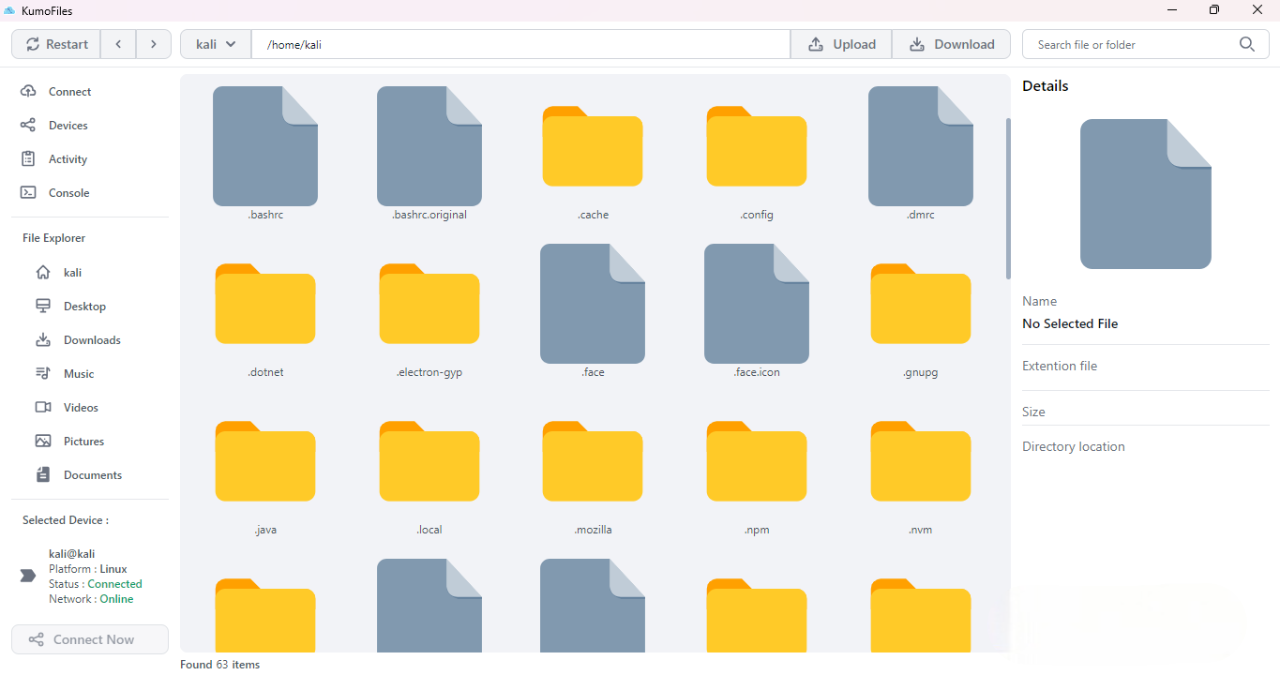
Remote Access Directory, Upload and Download File
You can get access into your device partner directory, Upload and Download File from your device any time
Device Management System
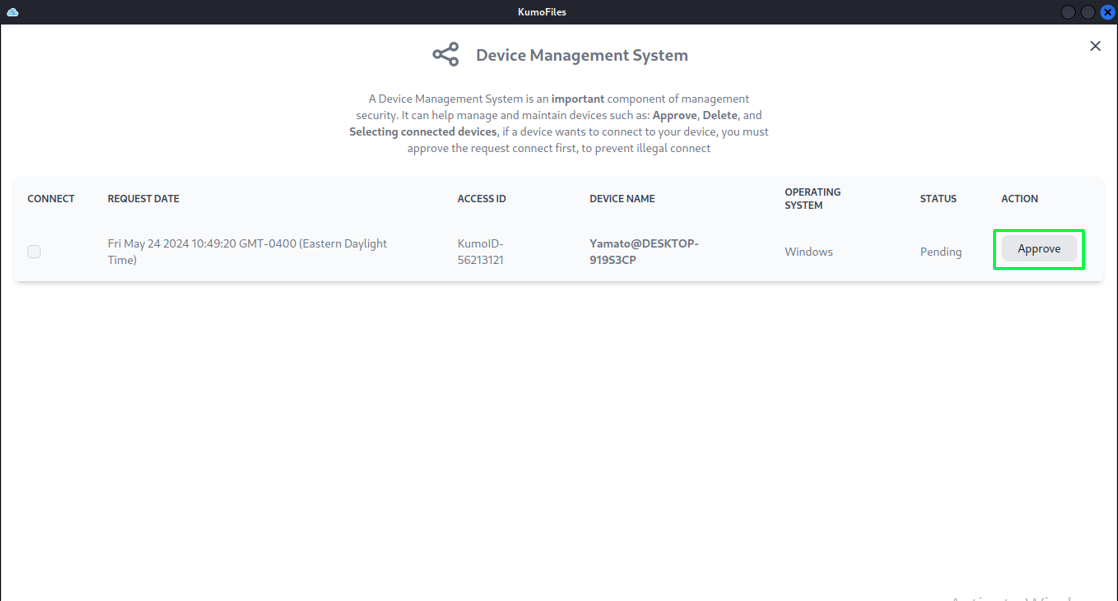
Device Management System is an important component of management security. It can help manage and maintain devices such as: Approve, Delete, and Selecting connected devices, if a device wants to connect to your device, you must approve the request connect first, to prevent illegal connect
Activity Center
You and your partner activity on your KumoFiles application will be recorded, you can monitoring all activity running on this application
Remote Access Console
The You can get access to your device partner console like a terminal on Linux or Powershell on Windows to get more control into your device partner
and much more powerful features will be updated ✨
Simple Step to Connect:
-
Download and Install KumoFiles
if you get a warning during installation KumoFiles, don't worry, read the FAQ to find out.
-
Open KumoFiles Application and Setup your Password
this is an important step to get connect ,
open the connect menu and set your password,
you and your partner device must set a KumoFiles access password,
because KumoFiles can't connect if you or your partner device is not already to setup access password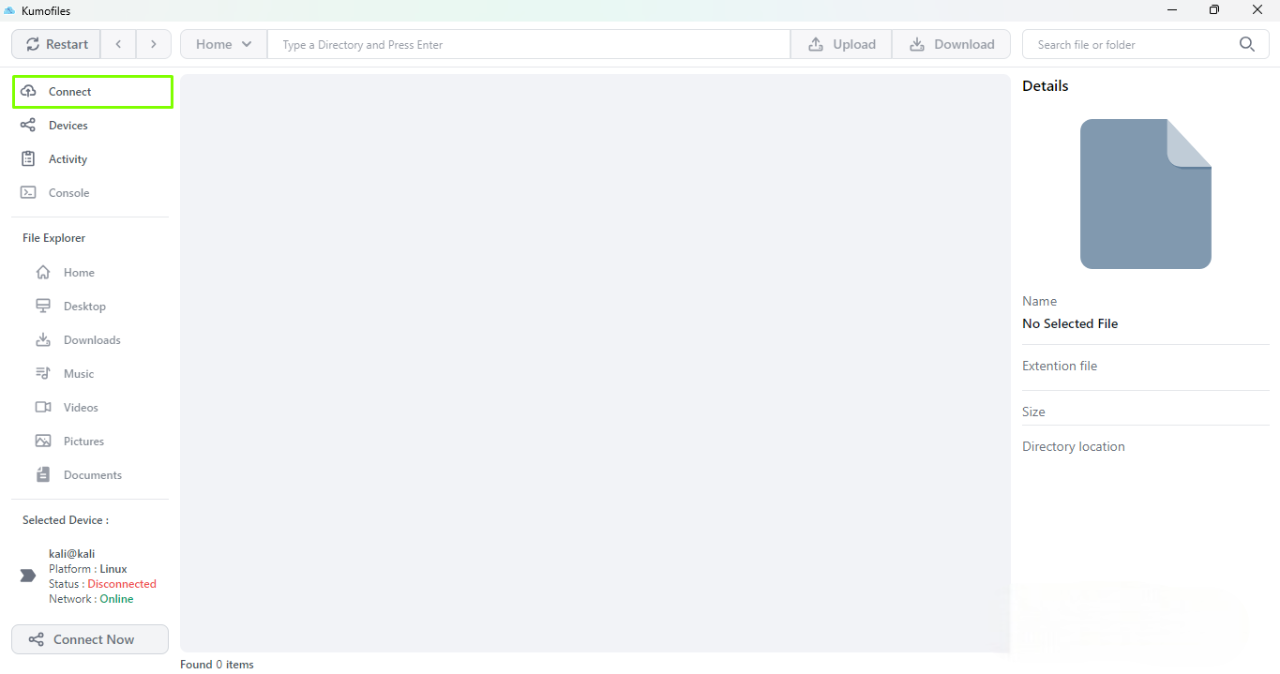
-
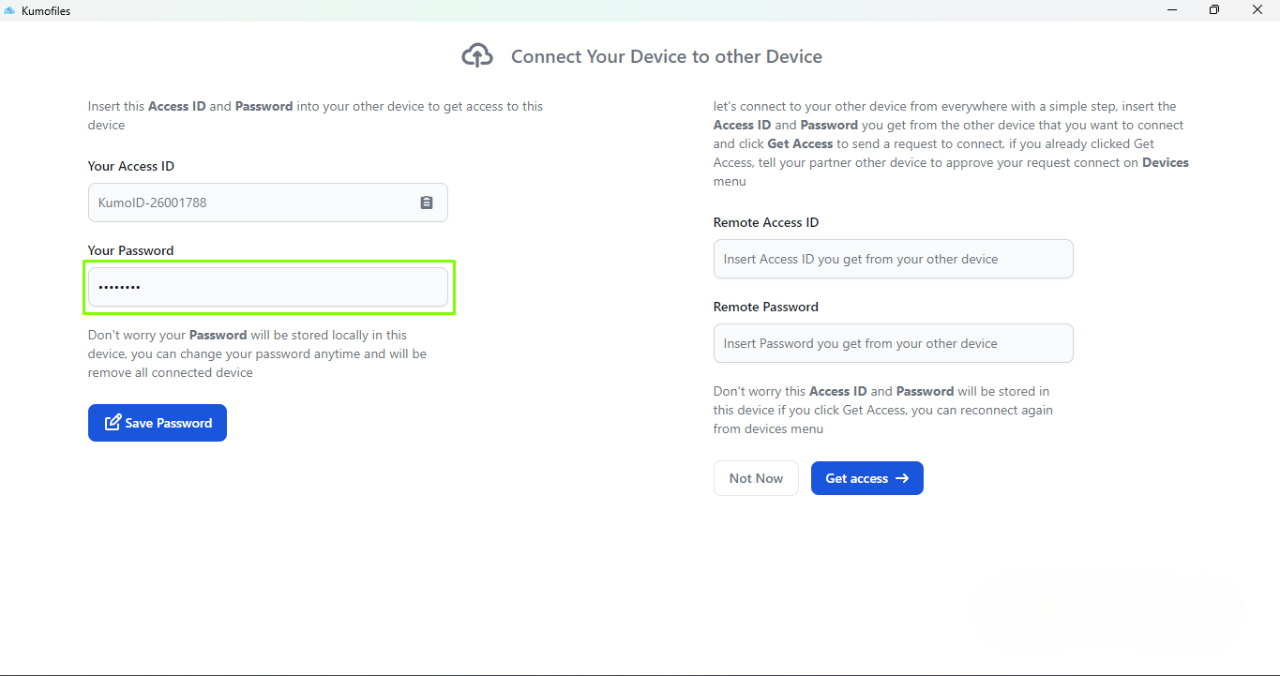
Insert your partner Access ID and partner Password to request access
after you click to Get Access button,
tell your partner device to approve your request access
from the confirmation alert or from the Devices menu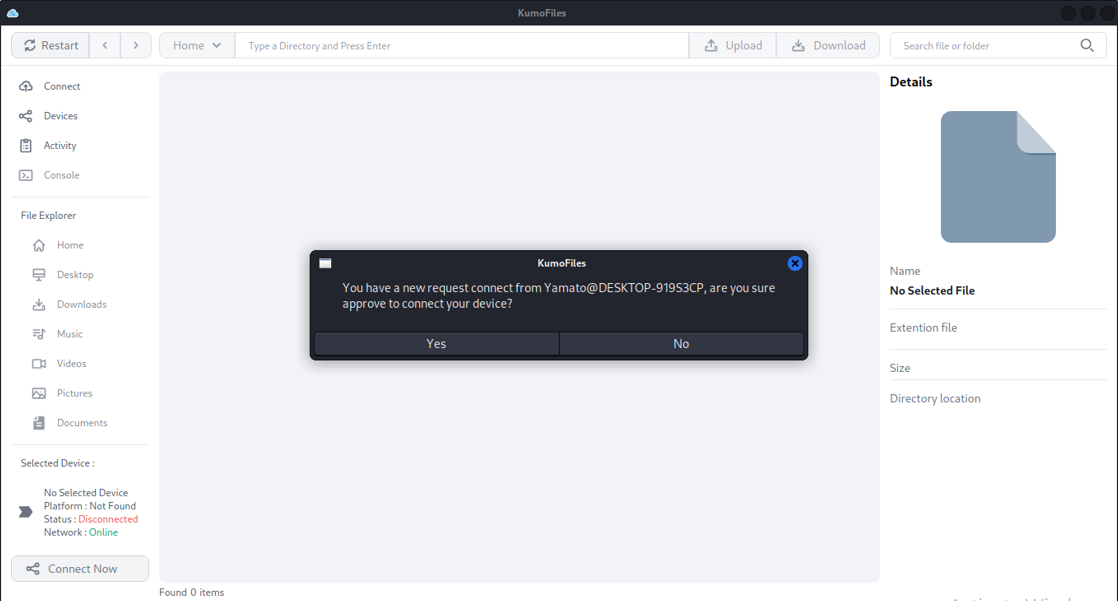

-
Click Connect Now to get Access to your Partner Device
if your device is already registered and approved on your partner device,
You don't need to request access to connect again,
just click on the Connect Now button to connect to your partner device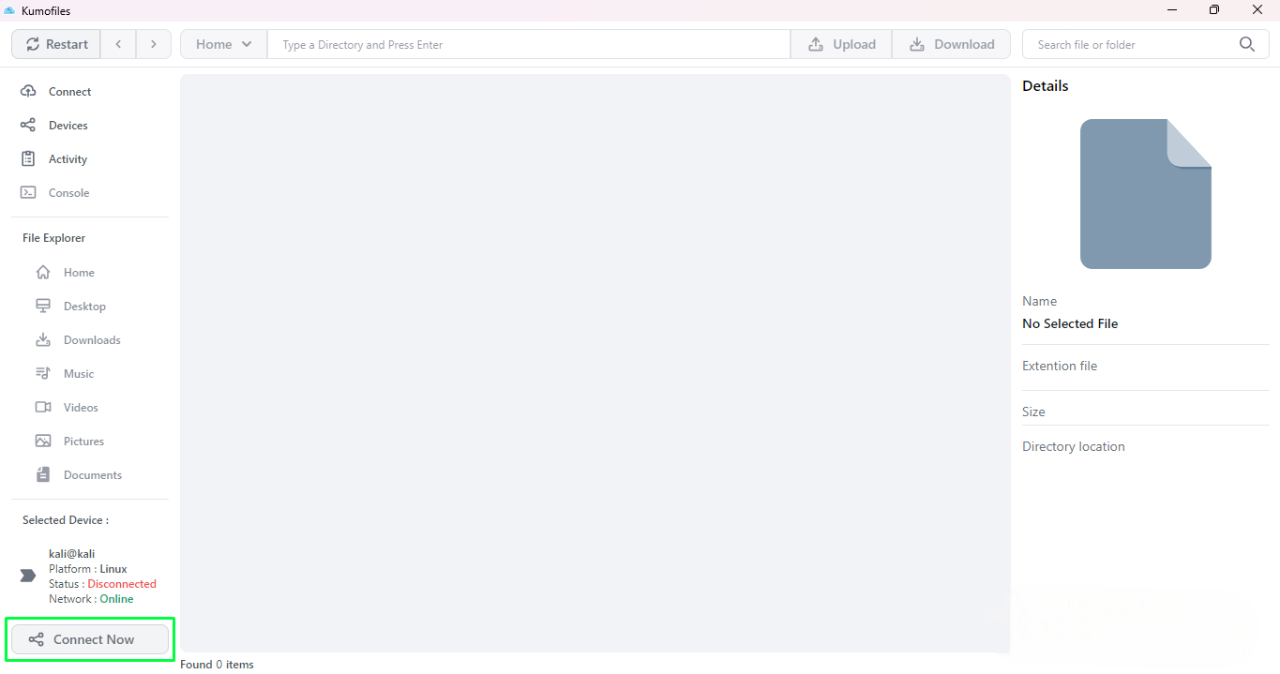
Frequently asked questions
Why I get a warning "Windows Protected your PC" when installing KumoFiles?
KumoFiles has not yet gotten a sign certificate right now because the developer does not have enough funds to get a sign certificate, maybe the warning "Windows Protected your PC", "unknown publisher" or "Smartscreen Windows" will be shown because that reason, but don't worry about that KumoFiles not malicious software and secure from malware or virus
When the Mac OS version and Web Client will be released?
KumoFiles Web Client will be released immediately but KumoFiles Desktop for Mac OS version may take a little longer to be released because of device constraints for development, so please be patient.
What about my data and communication between my device and my device partner?
KumoFiles has not collected any data, your data is stored on your local and partner devices. Communication between your device and device partner directly by a P2P connection and All data transferred is encrypted by end-to-end encryption, since a peer-to-peer connection between two user agents, the data never passes through the web or application server. This reduces opportunities to have the data intercepted.
Feedback & Report
Your contributions, feedback, and report is very valuable and will help us to make KumoFiles better.